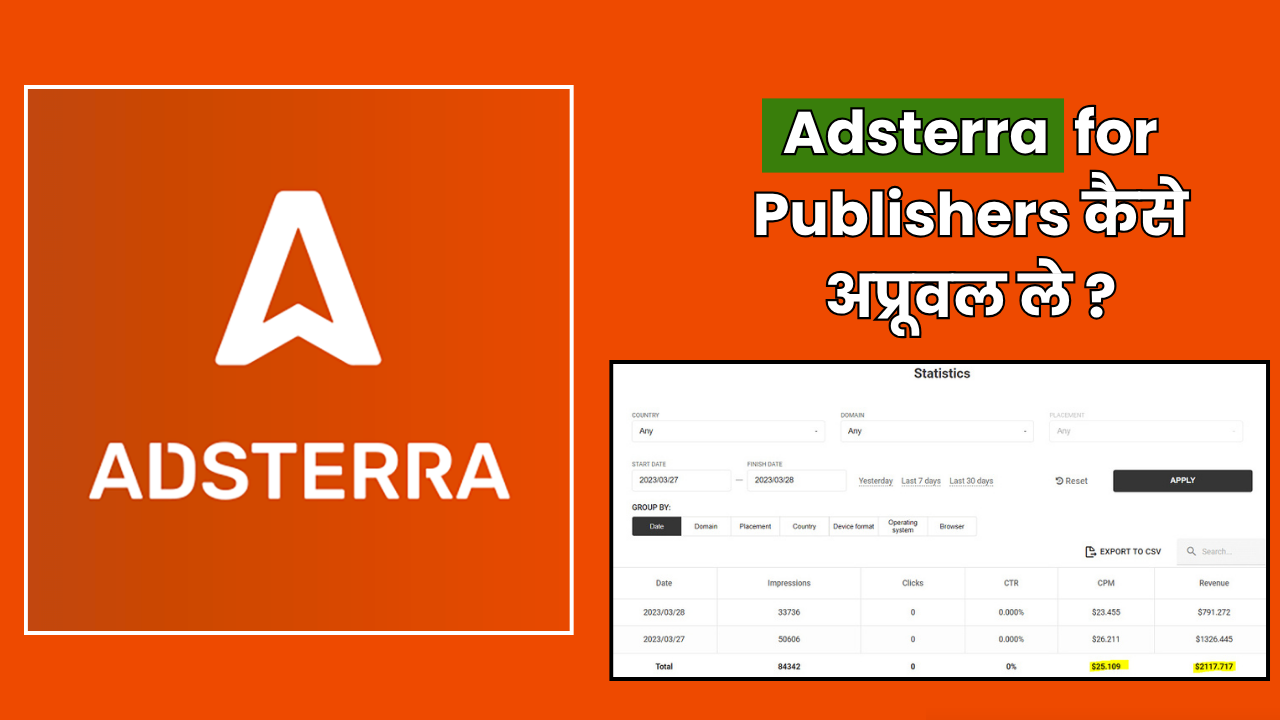
दोस्तों अगर आप एक publisher हैं यानी आपकी कोई website, blog या app है और आप उससे पैसे कमाना चाहते हैं तो आज मैं आपको बताऊंगा Adsterra के बारे में जो एक बेहतरीन ad network है! बहुत से लोग सोचते हैं कि Google AdSense के बिना online पैसे नहीं कमा सकते लेकिन यह गलत है!
Adsterra एक ऐसा platform है जो publishers को बहुत अच्छे rates देता है और सबसे बड़ी बात इसका approval बहुत आसान है! आज मैं आपको Adsterra के बारे में A to Z सब कुछ बताऊंगा कि कैसे signup करें, कितनी earning होती है, क्या requirements हैं और कैसे maximum पैसे कमा सकते हैं?
इस post को पूरा पढ़ें क्योंकि मैं अपने personal experience से आपको सब कुछ clear करूंगा! तो चलिए शुरू करते हैं!
Adsterra for Publishers क्या है – Complete Introduction

दोस्तों सबसे पहले समझते हैं कि Adsterra है क्या? Adsterra एक global advertising network है जो 2013 से market में है और अब तक 30,000+ publishers और 12,000+ advertisers के साथ काम कर रहा है!
Adsterra की specialty यह है कि यह सभी तरह के publishers को accept करता है चाहे आपकी website छोटी हो या बड़ी, नई हो या पुरानी, किसी भी niche में हो! यह बात Adsterra को दूसरे ad networks से अलग बनाती है!
Adsterra की Main Features:
1. No Minimum Traffic Required – आपकी website पर कितना भी कम traffic हो approval मिल जाएगा!
2. Global Coverage – 248 countries में ads serve करता है!
3. Multiple Ad Formats – 10+ different ad formats available हैं!
4. High CPM Rates – competitive rates मिलते हैं खासकर tier 2 और tier 3 countries के लिए!
5. Fast Approval – 24 hours के अंदर approval मिल जाता है!
6. Weekly Payments – हर हफ्ते payment मिल सकती है!
7. Dedicated Support – personal account manager मिलता है!
Adsterra vs Other Ad Networks:
बहुत से लोग पूछते हैं कि Adsterra बेहतर है या PropellerAds या AdSense? तो दोस्तों honestly बताऊं तो हर network की अपनी specialty है!
Adsterra बेहतर है अगर:
- आपका traffic tier 2/tier 3 countries से है खासकर Asia, Africa, Latin America
- Multiple ad formats test करना चाहते हो
- Quick approval और fast payment चाहिए
- Adult या gambling niche में काम करते हो
AdSense बेहतर है अगर:
- Traffic USA/UK से है
- Family-friendly content है
- Premium advertisers चाहिए
PropellerAds बेहतर है अगर:
- Push notifications पर focus करना है
- Popunder ads से पैसे कमाना है
मेरी personal advice है कि सब को साथ में use करो! मैं अपने blogs पर Adsterra + AdSense दोनों use करता हूं!
Adsterra Publisher Requirements – क्या चाहिए Approval के लिए?
अब बात करते हैं कि Adsterra publisher बनने के लिए क्या-क्या requirements हैं? और यहीं पर Adsterra shine करता है क्योंकि इसकी requirements बहुत कम हैं!
Basic Requirements:
1. Website या App होनी चाहिए – कोई भी platform चलेगा! WordPress, Blogger, custom website, Android app, iOS app सब accept है!
2. Original Content होना चाहिए – copied content नहीं चलेगा! आपका खुद का content होना चाहिए!
3. Active Website होनी चाहिए – website काम कर रही हो और regularly update हो रही हो!
4. Legal Content होना चाहिए – कुछ prohibited categories हैं जो allow नहीं हैं!
Prohibited Content:
Adsterra में ये content types allow नहीं हैं:
- Child pornography या minor से related adult content
- Content promoting terrorism या violence
- Illegal drugs selling या promoting
- Malware या virus distribution
- Phishing या scam websites
- Copyright infringement content
इनके अलावा लगभग सभी niches allow हैं! Adult content भी allow है जो बहुत बड़ा advantage है!
Minimum Traffic Required:
यहां सबसे interesting बात है! Adsterra में कोई minimum traffic requirement नहीं है! चाहे आपकी website पर 100 visitors per day हों या 100,000 visitors per day approval मिल जाएगा!
लेकिन obviously ज्यादा traffic होगा तो ज्यादा earning होगी! मैंने देखा है कि 1000-5000 daily visitors से भी अच्छी खासी earning हो जाती है Adsterra से!
Domain Requirements:
- Custom domain होना अच्छा है लेकिन mandatory नहीं है
- Free subdomains भी accept हो जाते हैं जैसे blogspot.com या wordpress.com
- Domain age की कोई requirement नहीं है
Content Requirements:
- कम से कम 10-15 posts होने चाहिए
- हर post 300-500 words की होनी चाहिए minimum
- Content readable और informative होना चाहिए
- Images और proper formatting होनी चाहिए
तो दोस्तों जैसा आप देख सकते हैं Adsterra के requirements बहुत simple हैं! लगभग कोई भी website easily eligible है!
Adsterra Publisher Sign Up – Step by Step Guide
अब मैं आपको बताता हूं कि कैसे Adsterra पर publisher account बनाएं? यह process बहुत आसान है बस 5-10 minutes में complete हो जाता है!
Signup Process:
Step 1: Adsterra Website पर जाओ
सबसे पहले Adsterra की official website पर जाओ adsterra.com और top right corner में Sign Up button पर click करो!
Step 2: Publisher Account चुनो
दो options दिखेंगे Advertiser और Publisher! आपको Publisher select करना है क्योंकि आप ads दिखाकर पैसे कमाना चाहते हो!
Step 3: Registration Form भरो
अब एक detailed form खुलेगा जिसमें ये information भरनी है:
Personal Information:
- Full Name – अपना पूरा नाम डालो
- Email Address – valid email ID जो आप regularly check करते हो
- Password – strong password बनाओ minimum 8 characters का
- Skype ID – optional है लेकिन डालो तो अच्छा है support के लिए
- Country – अपना country select करो
Website Information:
- Website URL – अपनी website का complete URL डालो
- Website Category – अपने niche के हिसाब से category select करो
- Monthly Traffic – approximate traffic estimate डालो
Payment Information:
- Payment Method – अभी skip कर सकते हो बाद में add कर लेंगे
- Payment Details – bank या payment account details
Step 4: Terms and Conditions Accept करो
Terms and conditions को पढ़ो और checkbox tick करो! फिर I’m not a robot verify करो!
Step 5: Sign Up Button पर Click करो
सब information डालने के बाद Sign Up button पर click करो!
Step 6: Email Verification करो
आपकी email पर एक verification link आएगा! उस पर click करके email verify करो! यह बहुत important है वरना account activate नहीं होगा!
Step 7: Dashboard में Login करो
Email verify होने के बाद अपनी email ID और password से login करो और dashboard खुल जाएगा!
Step 8: Website को Verify करो
Dashboard में आपको website verification complete करना होगा! इसके दो methods हैं:
Method 1: Meta Tag – एक meta tag मिलेगा उसे अपनी website के head section में लगाओ
Method 2: HTML File – एक HTML file download करो और अपनी website की root directory में upload करो
Step 9: Approval Wait करो
Verification complete करने के बाद Adsterra team आपकी website को review करेगी! Generally 12-24 hours में approval मिल जाता है!
Email notification आएगा जब approval हो जाएगा!
Signup करते समय Important Tips:
- Correct Email डालो – सारी communication email पर ही होगी
- Real Information दो – fake details मत डालो वरना account ban हो सकता है
- Website URL सही डालो – https या http properly check करो
- Category सही select करो – relevant ads आने के लिए जरूरी है
- Traffic estimate realistic रखो – over-estimate मत करो
- Verification properly complete करो – वरना approval में problem होगी
Adsterra Login Process – Dashboard कैसे Access करें?
एक बार signup complete हो जाए तो login करना बहुत आसान है!
Login Steps:
Step 1: Adsterra.com पर जाओ
Step 2: Top right corner में Login button पर click करो
Step 3: अपनी registered email ID डालो
Step 4: Password डालो
Step 5: Login button पर click करो
अगर Password भूल गए तो?
कोई problem नहीं! Login page पर Forgot Password link पर click करो! Email ID डालो और password reset link आ जाएगा email में! उससे नया password बना लो!
Dashboard में क्या-क्या मिलेगा:
1. Overview Section – यहां आपकी total earnings, impressions, clicks सब दिखेगा realtime में!
2. Statistics – detailed reports और analytics देख सकते हो date-wise, country-wise, device-wise!
3. Ad Units – यहां से नए ad units create कर सकते हो और existing ones manage कर सकते हो!
4. Websites – अपनी सभी websites को manage कर सकते हो! multiple websites add कर सकते हो!
5. Direct Links – direct advertising links generate कर सकते हो!
6. Payments – payment history देख सकते हो और payment method setup कर सकते हो!
7. Profile – अपनी profile information update कर सकते हो!
8. Support – support tickets raise कर सकते हो अगर कोई issue हो!
Dashboard बहुत user-friendly है और सब कुछ easily accessible है!
Beta Publisher Adsterra – क्या है यह Program?
दोस्तों Adsterra में एक special program है जिसे Beta Publisher Program कहते हैं! यह एक exclusive program है selected publishers के लिए!
Beta Publisher Program क्या है?
Beta Publisher Program में Adsterra नए ad formats और features को test करता है! अगर आप इस program में select हो जाते हो तो आपको early access मिलता है नए features का!
Beta Program के Benefits:
1. Early Access to New Features – नए ad formats सबसे पहले आप test कर सकते हो!
2. Higher Revenue Share – beta publishers को थोड़ा ज्यादा revenue share मिलता है!
3. Priority Support – dedicated account manager मिलता है!
4. Exclusive Offers – special bonus campaigns और offers मिलते हैं!
5. Direct Communication – Adsterra team के साथ direct communication होता है!
Beta Publisher कैसे बनें?
Beta program invite-only है! यानी Adsterra खुद select करता है publishers को! Generally ये factors देखे जाते हैं:
- High quality traffic होनी चाहिए
- Consistent performance होनी चाहिए
- Good fill rates maintain करने चाहिए
- Long-term partnership होनी चाहिए
अगर आप consistently अच्छा perform करते हो तो Adsterra खुद आपको invite करेगा beta program के लिए!
मेरा suggestion है कि initially focus करो अच्छी earning पर! जब आपकी performance अच्छी होगी तो automatically beta program का invite आ जाएगा!
Adsterra Earning – कितने पैसे कमा सकते हैं?
अब आते हैं सबसे important question पर कि Adsterra से कितनी earning हो सकती है? यह सवाल हर publisher का होता है!
Earning Factors:
Earning depend करती है कई factors पर:
1. Traffic Volume – कितने visitors आते हैं daily 2. Traffic Quality – कहां से आते हैं visitors 3. Niche – किस topic पर website है 4. Ad Formats – कौन से ad formats use कर रहे हो 5. Ad Placement – ads कहां place किए हैं 6. Device Type – mobile या desktop traffic
Country-wise CPM Rates:
Adsterra के approximate CPM rates यह हैं different countries के लिए:
Tier 1 Countries (High CPM):
- USA: $3-8 per 1000 impressions
- UK: $2.5-6 per 1000 impressions
- Canada: $2-5 per 1000 impressions
- Australia: $2-5 per 1000 impressions
Tier 2 Countries (Medium CPM):
- India: $0.50-2 per 1000 impressions
- Pakistan: $0.40-1.5 per 1000 impressions
- Brazil: $1-3 per 1000 impressions
- Russia: $1-3 per 1000 impressions
Tier 3 Countries (Low CPM):
- Bangladesh: $0.30-1 per 1000 impressions
- African countries: $0.20-0.80 per 1000 impressions
ये approximate figures हैं! actual rates vary करते हैं ad format और niche के हिसाब से!
Real Earning Examples:
मैं आपको कुछ real examples देता हूं ताकि आपको idea लग जाए:
Example 1: Indian Tech Blog
- Daily Traffic: 5000 visitors
- Ad Formats: Popunder + Banner ads
- Monthly Earning: $150-250 (₹12,000-20,000)
Example 2: US Entertainment Website
- Daily Traffic: 10,000 visitors
- Ad Formats: Social Bar + Interstitial
- Monthly Earning: $600-900 (₹50,000-75,000)
Example 3: Mixed Traffic Download Site
- Daily Traffic: 20,000 visitors
- Ad Formats: All formats combined
- Monthly Earning: $800-1200 (₹65,000-1,00,000)
यह मेरे personal observations हैं! आपकी earning इससे कम या ज्यादा हो सकती है आपकी strategy पर depend करते हुए!
Maximum Earning कैसे करें:
Tip 1: Multiple ad formats use करो! सिर्फ एक format पर depend मत रहो!
Tip 2: Ad placement optimize करो! जहां maximum clicks मिलें वहां ads लगाओ!
Tip 3: Traffic quality improve करो! tier 1 countries से traffic लाने की कोशिश करो!
Tip 4: High CPM niches पर focus करो जैसे finance, insurance, technology!
Tip 5: A/B testing करो different ad formats और placements की!
Adsterra for Publishers Pricing – Publisher को क्या देना होता है?
बहुत से लोग confused हो जाते हैं pricing को लेकर तो मैं clear कर देता हूं!
Publisher के लिए कोई Fee नहीं है!
दोस्तों यह समझ लो कि Adsterra join करने के लिए publishers को कोई पैसा नहीं देना होता! यह 100% free है!
Adsterra revenue share model पर काम करता है:
- Advertisers Adsterra को पैसे देते हैं ads run करने के लिए
- Adsterra उन पैसों में से publishers को उनका share देता है
- Publishers को कुछ भी pay नहीं करना होता
Revenue Split:
Generally ad networks 50-70% revenue share करते हैं publishers के साथ! Adsterra भी similar range में काम करता है!
For example: अगर advertiser ने $100 दिए ads के लिए तो approximately $60-70 publisher को मिलेंगे और $30-40 Adsterra रखेगा!
यह industry standard है और सभी major ad networks यही model follow करते हैं!
Hidden Charges?
कोई hidden charges नहीं हैं! जो earning आपको dashboard में दिखती है वही आपको मिलेगी! बस payment method के charges अलग से लग सकते हैं जो payment processor charge करता है Adsterra नहीं!
Adsterra Direct Link – क्या है और कैसे Use करें?
Adsterra की एक powerful feature है Direct Link जिसके बारे में कम लोग जानते हैं!
Direct Link क्या है?
Direct Link एक special URL होता है जो directly advertiser के landing page पर ले जाता है! यह traditional banner ads से अलग होता है!
कैसे काम करता है:
- आप Adsterra से एक direct link generate करते हो
- उस link को अपने content में या buttons में लगा देते हो
- जब कोई user उस link पर click करता है तो advertiser की website खुल जाती है
- आपको per click के हिसाब से payment मिलती है
Direct Link के Advantages:
1. High Conversion Rate – direct links ज्यादा clicks generate करते हैं banner ads के मुकाबले!
2. Natural Look – content में naturally fit हो जाते हैं!
3. Mobile Friendly – mobile devices पर बहुत अच्छे से काम करते हैं!
4. Easy Implementation – बस link लगाना है कोई complex code नहीं!
5. Multiple Uses – different places पर same link use कर सकते हो!
Direct Link कैसे Generate करें:
Step 1: Adsterra dashboard में login करो
Step 2: Left menu में Direct Link section में जाओ
Step 3: Create New Direct Link पर click करो
Step 4: Settings select करो:
- Campaign Type चुनो (CPM, CPC, CPA)
- Target Country select करो
- Device Type चुनो (Mobile, Desktop, All)
- Category select करो
Step 5: Generate button पर click करो
Step 6: आपका unique direct link बन जाएगा! उसे copy करो!
Direct Link कहां Use करें:
1. Download Buttons पर – अगर आप software या files provide करते हो तो download button में लगा सकते हो!
2. CTA Buttons में – Call-to-action buttons में use कर सकते हो!
3. Text Links में – Content के बीच में relevant text में link लगा सकते हो!
4. Social Media पर – Facebook, Twitter, Telegram groups में share कर सकते हो!
5. Email Marketing में – Newsletter में links add कर सकते हो!
Direct Link से Earning:
Direct links से earning depend करती है clicks और conversions पर! Generally:
- Indian clicks: $0.001-0.01 per click
- US clicks: $0.01-0.05 per click
अगर आपको daily 1000 clicks मिल रहे हैं Indian traffic से तो approximately $1-10 per day earn कर सकते हो!
Adsterra App Download – Mobile से Earning Monitor करो
Adsterra का एक mobile app भी है जिससे आप अपनी earnings को mobile से monitor कर सकते हो!
Adsterra App Features:
1. Real-time Stats – Live earnings देख सकते हो!
2. Notifications – Important updates और payment notifications मिलते हैं!
3. Quick Reports – Detailed reports generate कर सकते हो!
4. Support Access – Support team से directly contact कर सकते हो!
5. Ad Performance – कौन से ads अच्छा perform कर रहे हैं यह देख सकते हो!
App कैसे Download करें:
For Android:
Step 1: Google Play Store open करो
Step 2: Search में “Adsterra Publisher” लिखो
Step 3: Official Adsterra app को identify करो
Step 4: Install button पर click करो
Step 5: App open करके अपनी email और password से login करो
For iOS:
Currently Adsterra की official iOS app available नहीं है! लेकिन आप mobile browser से dashboard access कर सकते हो! Mobile browser पर भी dashboard responsive है और अच्छे से काम करता है!
App का Alternative:
अगर आप iOS user हो या app download नहीं करना चाहते तो mobile browser से भी dashboard easily access कर सकते हो! बस adsterra.com पर जाओ और login करो!
Dashboard mobile-friendly है तो कोई problem नहीं होगी!
Payment Methods और Minimum Payout
अब बात करते हैं payment के बारे में जो हर publisher के लिए सबसे important है!
Minimum Payout:
Adsterra में minimum payout amount payment method के हिसाब से अलग-अलग है:
- Bitcoin/Ethereum: $5 minimum
- WebMoney: $5 minimum
- Wire Transfer: $1000 minimum
- Paxum: $100 minimum
- PayPal: Currently available नहीं है
Most popular methods Bitcoin और WebMoney हैं क्योंकि minimum payout सबसे कम है!
Payment Schedule:
Adsterra flexible payment schedule offer करता है:
1. NET 15 (Default) – Month end होने के 15 days बाद payment मिलती है
2. Weekly Payments – हर हफ्ते payment ले सकते हो (minimum $500 balance चाहिए)
3. Daily Payments – हर रोज payment ले सकते हो (premium publishers के लिए)
Payment Processing Time:
- Bitcoin: 1-2 business days
- WebMoney: 1-2 business days
- Wire Transfer: 5-7 business days
- Paxum: 2-3 business days
Final Tips – Success के लिए
तो दोस्तों मैं आपको कुछ final tips देता हूं Adsterra से maximum earning करने के लिए:
1. Quality Content लिखो – Good content = More traffic = More earning!
2. Multiple Ad Formats test करो – Dekhो कौन सा format best perform करता है!
3. Ad Placement optimize करो – Strategic placement बहुत important है!
4. Traffic sources diversify करो – Different countries से traffic लाओ!
5. Analytics regularly check करो – Performance track करते रहो!
6. Support team से contact में रहो – वो बहुत helpful होते हैं optimization में!
7. Rules follow करो – Policy violation मत करो वरना ban हो जाओगे!
8. Patient रहो – Initial में कम earning होगी लेकिन slowly बढ़ेगी!
Final Words
तो दोस्तों यह थी complete guide Adsterra for Publishers के बारे में! मुझे उम्मीद है कि अब आपको सब कुछ clear हो गया होगा!
Adsterra एक genuine और reliable ad network है! मैं personally recommend करता हूं खासकर अगर आपका traffic tier 2 या tier 3 countries से है तो Adsterra बहुत अच्छा option है!
याद रखो कि पैसे कमाने के लिए मेहनत करनी पड़ती है! Ads लगा दिए तो automatic पैसे नहीं आने लगेंगे! आपको quality traffic लानी होगी और optimize करना होगा!
अगर कोई सवाल है Adsterra के बारे में तो comment में जरूर पूछो! मैं अपने experience से help करूंगा! और हां अगर आप भी Adsterra use करते हो तो अपनी earnings जरूर share करो comment में! धन्यवाद!
Google Discover Complete Course
vs same day last week
vs previous 7 days
vs same period last year
1 thought on “Adsterra for Publishers 2026 – Complete Earning Guide in Hindi”