दोस्तों अगर आप smartphone use करते हैं तो Google के बिना आपका काम नहीं चल सकता! आज के इस पोस्ट में मैं आपको बताऊंगा कि Google के पास कितने apps हैं, कौन से apps सबसे जरूरी हैं और आप इन्हें कैसे use कर सकते हैं! साथ ही अगर आप एक publisher हैं और Google के platforms से earning करना चाहते हैं तो वह भी सीखेंगे!
इस आर्टिकल को पढ़ने के बाद आपको पता चल जाएगा कि Google LLC के कितने apps हैं, Play Store से कैसे download करें, कौन से apps free हैं और कौन से paid! सबसे जरूरी बात – publisher के नजरिये से Google के platforms पर कैसे approval मिलेगा, earning कितनी होगी, payment कैसे आएगा और क्या problems आ सकती हैं – सब कुछ detail में बताऊंगा तो बने रहिए मेरे साथ अंत तक!
Google Apps क्या हैं और क्यों जरूरी हैं?
दोस्तों सबसे पहले यह समझना जरूरी है कि Google Apps क्या होते हैं! Google ने लगभग हर category में apps develop किए हैं – communication से लेकर payment systems तक, और यह सब apps हमारी daily life को आसान बनाते हैं!
यह भी पढ़े –Localhost WordPress WP Admin Login: अपने Computer पर WordPress चलाने का आसान तरीका
Google Play Store में लगभग 70 official Google apps available हैं – जिनमें से कुछ basic apps हैं जैसे Gmail, Google Maps, YouTube, और कुछ unique tools हैं जैसे Google Arts & Culture! यह apps आपके phone में pre-installed भी आ सकते हैं या फिर आप इन्हें Play Store से download कर सकते हैं!
Google के apps इतने powerful हैं कि बिना इनके smartphone का काम चलाना मुश्किल है – चाहे आप student हों, professional हों या business person, हर किसी के लिए Google के पास कुछ न कुछ है!
Main Google Apps List 2026 – Top 20 जरूरी Apps
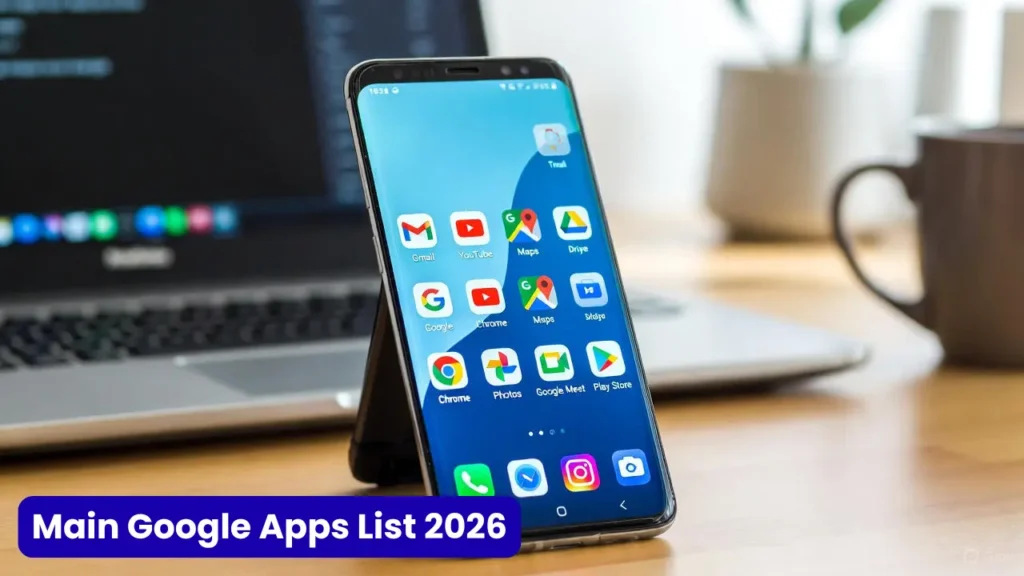
अब मैं आपको बताता हूं कि Google के कौन से apps सबसे ज्यादा important हैं और किस काम के लिए use होते हैं:
1. Google Search
यह दुनिया का सबसे बड़ा search engine है जो हर दिन 14 billion से ज्यादा searches handle करता है! Text, voice या image – किसी भी तरह से search कर सकते हैं! 2026 में इसमें AI Overview और AI Mode features add हो गए हैं जो आपको quick answers देते हैं!
2. Gmail
Gmail Google की email service है जो Workspace suite का major part है! इसमें 15 GB free storage मिलती है जो Google Drive और Photos के साथ share होती है! High data security, cloud access, Outlook के साथ sync – सब कुछ free में!
3. Google Chrome
यह सबसे advanced browser है जो regular updates receive करता है! Privacy features, password saving, customizable themes – सब कुछ है! Fast browsing और Google के सभी apps के साथ seamless integration!
4. Google Maps
यह आपको accurate navigation और directions देता है किसी भी जगह के लिए! Walking, biking, car या bus – किसी भी mode में use कर सकते हैं और बिना data के भी maps download करके use कर सकते हैं! Street View से आप location को पहले से देख सकते हैं!
5. YouTube
यह दुनिया का सबसे बड़ा video platform है जिसे 2.7 billion users worldwide use करते हैं! Videos देखना, बनाना, share करना – सब कुछ एक ही app में! Publisher के लिए यह सबसे बड़ा earning platform है!
6. Google Drive
Cloud storage service जहां आप अपनी files secure रख सकते हैं! 15 GB free storage और कहीं से भी access! Documents, photos, videos – सब कुछ safely store होता है!
7. Google Photos
Photos को auto-backup करने के लिए best app! Unlimited storage (compressed quality में), easy sharing, और smart search features! Memories automatically create हो जाती हैं!
8. Google Docs
यह writing के लिए best tool है जहां सब कुछ automatically save होता है! Real-time collaboration, link sharing, और offline access – students और professionals दोनों के लिए perfect!
9. Google Sheets
यह free spreadsheet program है जो online spreadsheets create करने देता है! Excel से बेहतर क्योंकि multiple लोग साथ में काम कर सकते हैं!
10. Google Slides
Presentations बनाने के लिए best app! PowerPoint का free alternative with cloud sync और collaborative features!
11. Google Calendar
Appointments, meetings, reminders – सब कुछ organize रखने के लिए! Multiple calendars manage कर सकते हैं और notifications मिलती रहती हैं!
12. Google Keep
यह notes capture और edit करने के लिए है! Audio, lists, photos – सब कुछ add कर सकते हैं और color code करके organize कर सकते हैं!
13. Google Translate
यह 103 languages के बीच translate कर सकता है keyboard से! 59 languages offline translate हो सकती हैं और camera से 88 languages instantly translate हो जाती हैं! Travel के लिए must-have app!
14. Google Meet
Video calling और meetings के लिए professional app! Screen sharing, recording, और up to 100 participants free plan में!
15. Google Pay (GPay)
India में सबसे popular payment app! UPI payments, bill payments, recharges – सब कुछ secure तरीके से! Cashback offers भी मिलते रहते हैं!
16. Google Authenticator
यह 2025 में सबसे essential security app है! Two-factor authentication के लिए best और secure sign-in without passwords!
17. Google Lens
Camera से कुछ भी scan करके information पा सकते हैं! Text copy करना, products identify करना, plants recognize करना – सब कुछ possible!
18. Google News
Personalized news feed जो आपकी interests के according news दिखाता है! Multiple sources से news aggregate होती है!
19. Google Gemini (AI Assistant)
यह advanced AI assistant है जो आपके questions और creativity में help करता है! 2026 में यह Google Assistant को replace कर रहा है!
20. Google Home
इससे आप Google Nest device, Chromecast और दूसरे smart devices control कर सकते हैं! Multiple houses configure कर सकते हैं और rooms के हिसाब से devices organize कर सकते हैं!
Google Apps Download कैसे करें – Step by Step
दोस्तों Google apps download करना बहुत आसान है, बस यह steps follow करें:
यह भी पढ़े –WordPress क्या है? अपनी ऑनलाइन दुनिया बनाने का सबसे आसान रास्ता
Method 1: Google Play Store से
- अपने Android phone में Play Store app खोलें
- Search bar में app का नाम लिखें (जैसे “Gmail” या “Google Maps”)
- Official app को identify करें – Google LLC developer name दिखेगा
- Install button पर click करें
- App automatic download और install हो जाएगा
Method 2: Pre-installed Apps
कई Google apps पहले से phone में installed होते हैं! Settings > Apps में जाकर check कर सकते हैं कि कौन से apps already हैं!
Method 3: APK से (Advanced Users)
अगर Play Store में app show नहीं हो रहा तो APK file download कर सकते हैं, लेकिन यह risky है – केवल trusted sources से ही download करें!
Important Note: Play Store में रोजाना 3,000 से ज्यादा new apps add होते हैं और हजारों remove भी होते हैं, तो हमेशा official Google apps ही download करें!
Google LLC Apps की पूरी Category-wise List
दोस्तों अब मैं आपको category के हिसाब से Google apps की list देता हूं ताकि आपको समझने में आसानी हो:
Communication Apps
- Gmail (Email)
- Google Meet (Video Calling)
- Google Chat (Team Messaging)
- Google Messages (SMS)
- Google Duo (Video Calls) – अब Google Meet में merge हो रहा है
- Google Voice (Voice Calling)
Productivity Apps
- Google Docs (Documents)
- Google Sheets (Spreadsheets)
- Google Slides (Presentations)
- Google Keep (Notes)
- Google Tasks (To-Do Lists)
- Google Calendar (Schedule Management)
- Google Forms (Surveys & Forms)
Storage & Media Apps
- Google Drive (Cloud Storage)
- Google Photos (Photo Storage & Management)
- Google One (Premium Storage Plans)
- Google Maps (Navigation)
- Google Earth (3D Earth Exploration)
- Waze (Community-based Navigation) – Google owned
Entertainment Apps
- YouTube (Video Platform)
- YouTube Music (Music Streaming)
- YouTube Kids (Kids Content)
- YouTube TV (Live TV Streaming)
- Google Play Movies & TV (Movie Rentals)
- Google Play Books (Ebooks & Audiobooks)
- Google Play Games (Gaming Platform)
Utility Apps
- Google Search (Search Engine)
- Google Chrome (Web Browser)
- Google Lens (Visual Search)
- Google Translate (Language Translation)
- Google Authenticator (2FA Security)
- Files by Google (File Manager)
- Google Clock (Clock & Alarms)
- Google Calculator (Calculator)
- Google Recorder (Audio Recording with Transcription)
Payment & Finance
- Google Pay (Digital Payments)
- Google Wallet (Digital Wallet)
Smart Home & Devices
- Google Home (Smart Home Control)
- Google Fit (Health & Fitness Tracking)
- Wear OS by Google (Smartwatch OS)
Business & Developer Apps
- Google Ads (Advertising Platform)
- Google Analytics (Website Analytics)
- Google My Business (Business Listing)
- Google Workspace (Business Suite)
- Firebase (App Development)
- Google Cloud Console (Cloud Management)
Education & Learning
- Google Classroom (Education Platform)
- Google Arts & Culture (Art & History Exploration)
- Google Scholar (Academic Research)
Other Specialized Apps
- Google News (News Aggregator)
- Google Podcast (Podcast Player) – अब YouTube Music में merge हो रहा है
- Gallery Go (Lightweight Photo Gallery)
- Datally (Data Saving)
- Gboard (Keyboard App)
- Android Auto (Car Interface)
- Family Link (Parental Controls)
यह तो बस main apps हैं, Google ने almost every category में apps develop किए हैं!
Publishers के लिए Google Platforms – Earning Guide
अब सबसे important part आता है – अगर आप एक publisher हैं या content creator हैं तो Google के platforms से कैसे पैसा कमा सकते हैं! मैं detail में बताता हूं हर platform के बारे में:
यह भी पढ़े – How to start blogging 2026- कैसे शुरू करे अपना ब्लॉग ?
1. YouTube Partner Program (YPP)
क्या है: YouTube का monetization program जो creators को ads के through पैसा कमाने देता है!
Requirements:
- 1,000 Subscribers minimum
- 4,000 Watch Hours (last 12 months में)
- Community Guidelines follow करना जरूरी
- 2-Step Verification enable हो
- AdSense Account linked हो
Approval Process:
- YouTube Studio में जाएं
- Monetization section में apply करें
- Terms & Conditions accept करें
- AdSense link करें (या नया बनाएं)
- Review process में 1 महीना तक लग सकता है
- Approval मिलने पर ads चालू हो जाएंगे
Earning Potential:
- India में CPM: ₹50 से ₹200 per 1000 views (average)
- Tech/Finance Niche: ₹100 से ₹500 per 1000 views
- Entertainment Niche: ₹30 से ₹100 per 1000 views
- 100,000 views = ₹5,000 से ₹20,000 (approximately)
Payment Details:
- Minimum threshold: $100 (लगभग ₹8,000)
- Payment date: हर महीने की 21-26 तारीख के बीच
- Payment method: Bank transfer, Wire transfer, or Cheque
- AdSense account के through payment आता है
Common Problems:
- Limited Ads or No Ads: अगर content advertiser-friendly नहीं है तो ads limited हो सकते हैं
- Demonetization: Copyright strikes या guideline violation से
- Payment Hold: Tax information या identity verification incomplete होने पर
- Low CPM: Quality content नहीं बनाने से या wrong niche choose करने से
Solutions:
- Original content बनाएं, reused content से बचें
- Advertiser-friendly topics choose करें
- Regular upload schedule maintain करें
- Audience retention improve करें (watch time बढ़ाएं)
- Multiple revenue streams बनाएं (sponsorships, affiliate marketing)
2. Google AdSense (Website/Blog Monetization)
क्या है: Website या blog पर ads लगाकर earning करने का platform!
Requirements:
- Original content with regular updates
- Domain age: कम से कम 6 महीने (recommended)
- Good quality articles (minimum 30 articles)
- Clean website design और navigation
- Privacy Policy, About Us, Contact Us pages
- No copyright violations
- 18+ age होना चाहिए
Approval Process:
- AdSense.google.com पर account बनाएं
- Website submit करें
- Ad code को website में add करें
- Google review करेगा (1-2 weeks)
- Approval के बाद ads automatically show होने लगेंगे
Earning Potential:
- India Traffic: $0.05 से $2 per click (CPC)
- Page RPM: ₹50 से ₹500 per 1000 page views
- 10,000 monthly visitors = ₹2,000 से ₹15,000 (depends on niche)
- High CPC Niches: Finance, Insurance, Tech, Health
Payment Details:
- Minimum threshold: $100 (₹8,000 approximately)
- Payment date: Monthly, 21st के आसपास
- Payment methods: Bank transfer, Wire transfer, Cheque
Common Problems:
- Application Rejection: Low quality content, insufficient content, या policy violations
- Invalid Click Activity: Fake clicks या self-clicking करने पर ban
- Low Earnings: Poor ad placement या low traffic
- Policy Violations: Adult content, copyright material, misleading content
Solutions:
- Quality over quantity – 30-50 high-quality articles लिखें
- User experience improve करें – website speed fast रखें
- SEO पर काम करें – organic traffic लाएं
- Ad placement strategic रखें – too many ads न लगाएं
- Never click on your own ads!
3. Google AdMob (Mobile App Monetization)
क्या है: Mobile apps में ads दिखाकर earning करने का platform!
Requirements:
- Working Android या iOS app
- App policy compliant होना चाहिए
- Quality user experience
- No prohibited content
Approval Process:
- AdMob console में account create करें
- App add करें (Play Store link या APK)
- Ad units create करें (Banner, Interstitial, Rewarded)
- SDK integrate करें app में
- Ads show होने लगेंगे
Earning Potential:
- eCPM: $0.50 से $5 per 1000 impressions (India)
- 10,000 daily active users = $100 से $500 monthly (average)
- Gaming apps में earning ज्यादा होती है
Payment Details:
- Same as AdSense – $100 threshold
- Monthly payments through AdSense account
4. Google Play Store (App Developer)
क्या है: Apps बनाकर या in-app purchases/subscriptions से earning!
Requirements:
- One-time $25 registration fee
- Developer account verification
- App quality guidelines follow करना
Earning Models:
- Paid Apps: App download के लिए charge
- In-App Purchases: Virtual goods या premium features
- Subscriptions: Monthly/yearly recurring payments
- Ads: AdMob integration
Earning Potential:
- Highly variable – depends on app quality और marketing
- Successful apps millions कमाते हैं
- Average indie developer: $500 से $5,000 monthly
Payment Details:
- Google Play Console के through
- Monthly payments (minimum $10 threshold per country)
- 15% या 30% commission Google लेता है (subscription model पर)
Pro Tips for Publishers – Success के लिए जरूरी बातें
दोस्तों मैंने अपने experience से कुछ important tips निकाली हैं जो आपकी मदद करेंगी:
1. Quality Content is King
चाहे YouTube हो, Blog हो या App – quality content बनाना सबसे जरूरी है! Copied या AI-generated content से approval नहीं मिलेगा और long-term success भी नहीं मिलेगी!
2. Patience रखें
Google के platforms पर overnight success नहीं मिलती! 6-12 महीने consistent work करना पड़ता है तब जाकर अच्छी earning शुरू होती है!
3. Multiple Income Streams बनाएं
केवल ads पर depend न रहें! Sponsorships, affiliate marketing, products selling – सब try करें!
4. Analytics Track करें
Google Analytics, YouTube Analytics use करके देखें कि क्या काम कर रहा है और क्या नहीं! Data-driven decisions लें!
5. Policies को Follow करें
Google की policies बहुत strict हैं! एक बार ban हो गए तो वापस approval मुश्किल है! हमेशा guidelines पढ़ें और follow करें!
6. Audience Build करें
Email list बनाएं, social media presence बढ़ाएं! Direct audience होगी तो Google के algorithm changes से ज्यादा affect नहीं होंगे!
7. Tax Information Complete रखें
Payment receive करने के लिए tax information properly fill करना जरूरी है! Indian creators को PAN card details देनी होती हैं!
8. Continuous Learning
Google के platforms continuously evolve होते रहते हैं! New features, policies, algorithms – सब सीखते रहें!
Common Problems और Solutions – हर Publisher को आती हैं
Problem 1: Approval नहीं मिल रहा
Solution: Content quality improve करें, sufficient content create करें (minimum 30-50 posts/videos), policies carefully read करें!
Problem 2: Earning बहुत कम है
Solution: Traffic increase करें SEO और promotion से, high CPC keywords target करें, user engagement improve करें!
Problem 3: Payment नहीं आ रहा
Solution: Tax information complete करें, bank details verify करें, minimum threshold cross करें ($100)!
Problem 4: Account Banned हो गया
Solution: Appeal file करें detailed explanation के साथ, future में policies strictly follow करें, alternate account न बनाएं (against rules)!
Problem 5: Invalid Traffic/Clicks
Solution: अपनी ads पर click न करें, family/friends से भी न कराएं, traffic sources quality check करें!
निष्कर्ष – Final Thoughts
दोस्तों आज के इस detailed post में हमने जाना कि Google के पास कितने apps हैं, कौन से apps important हैं, कैसे download करें और सबसे जरूरी – publishers के लिए Google के platforms से कैसे earning की जा सकती है!
Main Points याद रखें:
- Google Play Store में 3.9 million से ज्यादा apps हैं और लगभग 70 official Google apps available हैं
- सभी major Google apps free हैं (कुछ में premium features paid हैं)
- Publishers के लिए YouTube, AdSense, AdMob best platforms हैं
- Quality content और patience success की key हैं
- Policies follow करना बहुत जरूरी है
अगर आप publisher बनना चाहते हैं तो:
- एक platform चुनें (YouTube/Blog/App)
- Quality content consistently create करें
- Approval के लिए सभी requirements fulfill करें
- Patience रखें – earning में time लगता है
- Multiple income streams develop करें
मुझे उम्मीद है कि यह comprehensive guide आपके लिए helpful रही होगी! अगर आपके कोई सवाल हैं या आप अपना experience share करना चाहते हैं तो नीचे comment करके जरूर बताएं!
याद रखें – Google का ecosystem बहुत बड़ा है, opportunities unlimited हैं, बस सही तरीके से काम करना है!
धन्यवाद दोस्तों! 🙏
अगर यह पोस्ट helpful लगी तो share जरूर करें और ऐसी ही informative posts के लिए हमारे blog को follow करें!
Google Discover Complete Course
vs same day last week
vs previous 7 days
vs same period last year
1 thought on “Google Apps List 2026 – Google Apps क्या हैं और क्यों जरूरी हैं?”