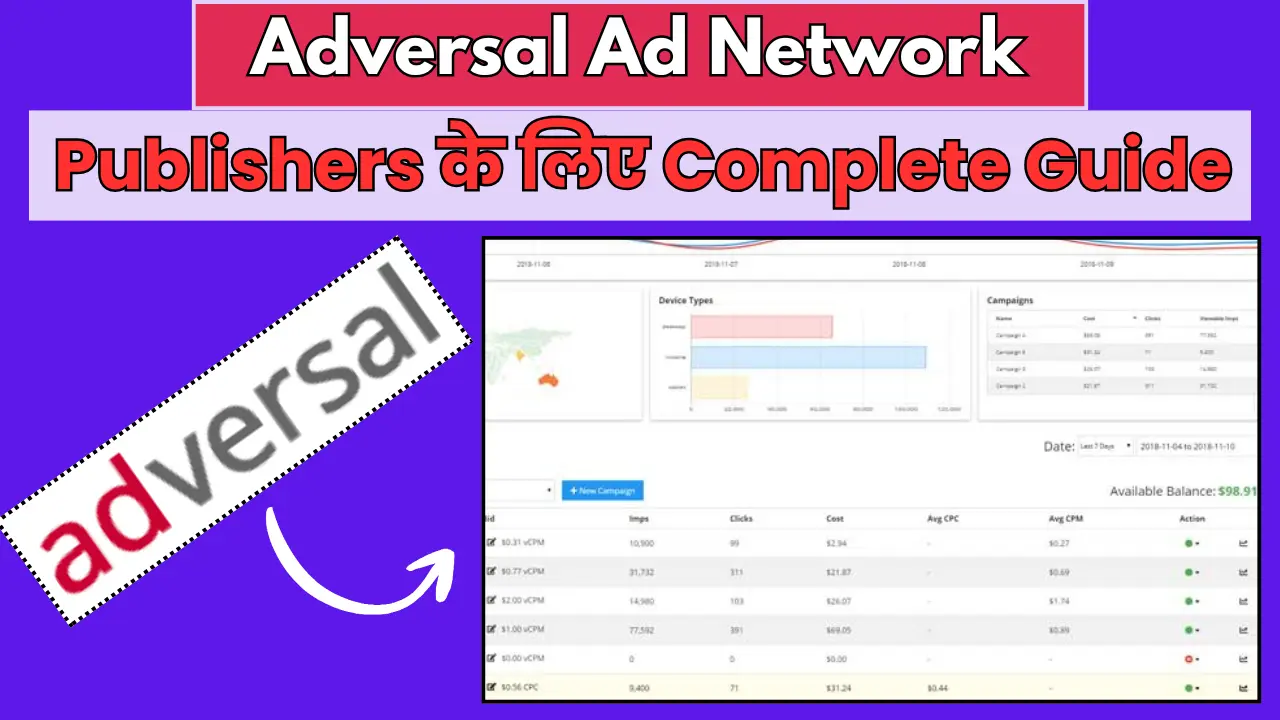
दोस्तों अगर आप blogging करते हैं और अपनी website से पैसे कमाना चाहते हैं तो आज मैं आपको बताऊंगा एक ऐसे ad network के बारे में जिसके बारे में कम लोग जानते हैं लेकिन यह बहुत powerful है! हम बात कर रहे हैं Adversal की जो एक premium ad network है publishers के लिए!
बहुत से bloggers सोचते हैं कि Google AdSense ही सब कुछ है लेकिन दोस्तों market में और भी बहुत अच्छे options हैं जो कई बार AdSense से भी बेहतर performance देते हैं! आज मैं आपको Adversal के साथ-साथ कुछ और alternatives भी बताऊंगा जैसे SellAds, RichAds और Adsbuy!
इस post में हम discuss करेंगे कि Adversal क्या है, इसका approval कैसे मिलता है, earning कितनी होती है, payment कैसे आती है, क्या problems हो सकती हैं और alternatives क्या हैं? तो चलिए शुरू करते हैं पूरी detail में!
Adversal क्या है – Complete Introduction

दोस्तों सबसे पहले समझते हैं कि Adversal है क्या? Adversal एक self-serve advertising network है जो 2008 से market में है! यह एक premium ad network है जिसमें high-quality publishers और advertisers होते हैं!
Adversal की specialty यह है कि यह एक exclusive network है! यानी सभी को approval नहीं मिलता! आपकी website को कुछ minimum requirements पूरी करनी होती हैं तभी आप Adversal join कर सकते हो!
यह भी पढ़ें –RevContent क्या है? पूरी जानकारी 2025 – Approval से Earning तक
Adversal की Main Features:
1. High CPM Rates – Tier 1 traffic के लिए बहुत अच्छे rates मिलते हैं $5-15 CPM तक!
2. No Pop-ups or Popunders – सिर्फ clean banner ads होते हैं जो user experience खराब नहीं करते!
3. Fast Payments – NET 15 payment terms यानी month end के 15 days बाद payment!
4. Multiple Ad Formats – Display ads, mobile ads, video ads सब available हैं!
5. Dedicated Support – Personal account manager मिलता है!
6. Real-time Reporting – Live stats और analytics देख सकते हो!
Adversal vs Google AdSense:
बहुत से लोग पूछते हैं कि Adversal बेहतर है या AdSense? तो दोस्तों honestly बताऊं:
Adversal बेहतर है अगर:
- आपकी website पर 50,000+ monthly pageviews हैं
- Traffic mainly USA, UK, Canada से है
- Premium advertisers चाहिए
- Higher CPM rates चाहिए
AdSense बेहतर है अगर:
- Website नई है या कम traffic है
- Global traffic है mixed countries से
- Easy approval चाहिए
- More ad formats चाहिए
Personally मैं recommend करता हूं कि दोनों को साथ में use करो! AdSense को primary रखो और Adversal को secondary! इससे revenue maximize होगा!
Adversal Approval कैसे मिलता है – Requirements क्या हैं?
अब आते हैं सबसे important topic पर कि Adversal का approval कैसे मिलता है? दोस्तों यहीं पर बहुत से publishers reject हो जाते हैं क्योंकि इन्हें requirements पता नहीं होती!
Minimum Requirements:
1. Traffic Requirement – सबसे Important!
Adversal में सबसे बड़ी requirement है traffic की! आपकी website पर minimum 50,000 pageviews per month होने चाहिए! यह hard requirement है और इससे कम traffic होगी तो approval नहीं मिलेगा!
यह 50,000 pageviews monthly होने चाहिए न कि visitors! Pageviews और visitors में फर्क है:
- 50,000 pageviews = approximately 20,000-25,000 unique visitors
- हर visitor average 2-3 pages देखता है
2. Traffic Quality – कहां से आता है Traffic?
सिर्फ traffic होना काफी नहीं है quality भी important है! Adversal को mainly Tier 1 countries से traffic चाहिए:
Tier 1 Countries:
- USA (minimum 30-40% traffic यहां से होनी चाहिए)
- UK
- Canada
- Australia
- Western European countries (Germany, France, Netherlands etc)
अगर आपका सारा traffic India, Pakistan, Bangladesh जैसी countries से है तो approval मुश्किल है!
3. Content Quality – कैसा Content चाहिए?
Original और high-quality content होना चाहिए! इन बातों का ध्यान रखो:
- Minimum 50+ quality posts होने चाहिए
- हर post 800-1000 words का होना चाहिए
- Content well-written और informative होना चाहिए
- Grammar mistakes कम से कम हों
- Proper formatting होनी चाहिए (headings, paragraphs, images)
- Copied content बिल्कुल नहीं चलेगा
4. Website Design – Professional दिखना चाहिए!
आपकी website professional और well-designed होनी चाहिए:
- Premium theme use करो (free themes से avoid करो)
- Mobile-friendly होनी चाहिए
- Fast loading होनी चाहिए (3 seconds से कम)
- Clean navigation होनी चाहिए
- Broken links नहीं होने चाहिए
5. Domain और Hosting
- Custom domain जरूरी है (.com, .net etc)
- Blogspot या free subdomains नहीं चलेंगे
- Good hosting होनी चाहिए (99% uptime)
- SSL certificate होना चाहिए (https)
6. Prohibited Content – क्या Allow नहीं है?
Adversal में ये content types allow नहीं हैं:
- Adult या sexually explicit content
- Violence या gore content
- Illegal drugs या weapons
- Gambling content
- Copyrighted material
- Hate speech या discrimination
- Malware या viruses
7. Legal Pages होने चाहिए
हर professional website की तरह ये pages होने चाहिए:
- About Us page
- Contact Us page (working contact form के साथ)
- Privacy Policy
- Terms of Service
- Disclaimer
Approval Process Timeline:
Day 1: Application submit करो
Day 2-5: Adversal team website को review करेगी
Day 5-7: Email में response आएगा (approved या rejected)
अगर approve हो गए तो congratulations! अगर reject हो गए तो don’t worry! Requirements पूरी करो और 30 days बाद फिर से apply करो!
यह भी पढ़ें –Ezoic क्या है? पूरी जानकारी – Approval से Earning तक
Adversal Login और Dashboard
एक बार approval मिल जाए तो login करना और dashboard use करना बहुत आसान है!
Login Process:
Step 1: Adversal.com पर जाओ
Step 2: Top right corner में Login button पर click करो
Step 3: Registered email ID और password डालो
Step 4: Login button पर click करो
Dashboard Features:
1. Overview Section:
- Today’s earnings
- Yesterday’s earnings
- This month’s earnings
- Total impressions और clicks
2. Statistics Section:
- Date-wise reports देख सकते हो
- Country-wise breakdown
- Device-wise breakdown (mobile vs desktop)
- Ad unit-wise performance
3. Ad Zones Section:
- नए ad zones create कर सकते हो
- Existing ad zones को edit कर सकते हो
- Ad codes generate कर सकते हो
4. Payment Section:
- Payment history देख सकते हो
- Payment method setup कर सकते हो
- Tax forms download कर सकते हो
5. Profile Section:
- Personal information update कर सकते हो
- Password change कर सकते हो
- Email preferences set कर सकते हो
Adversal Font और Design Customization:
Adversal में आप ad units के fonts और colors customize कर सकते हो ताकि वो आपकी website की design से match करें!
Customization Options:
- Font family select कर सकते हो (Arial, Helvetica, Times New Roman etc)
- Font size adjust कर सकते हो
- Colors change कर सकते हो (background, border, text)
- Ad styles को website के साथ blend कर सकते हो
यह feature बहुत useful है क्योंकि जब ads naturally website में blend होते हैं तो CTR (Click Through Rate) बढ़ता है और earning ज्यादा होती है!
Adversal Earning – कितने पैसे मिलते हैं?
अब सबसे important question कि Adversal से कितनी earning होती है? यह depend करता है कई factors पर!
Earning Factors:
1. Traffic Volume – कितने pageviews आते हैं
2. Traffic Geography – कहां से आता है traffic
3. Niche – किस topic पर website है
4. Ad Placement – ads कहां placed हैं
5. Seasonality – कौन सा महीना/season है
Average CPM Rates:
Adversal के CPM rates बहुत competitive हैं:
USA Traffic:
- Display Ads: $5-12 CPM
- Mobile Ads: $3-8 CPM
- Video Ads: $8-15 CPM
UK/Canada Traffic:
- Display Ads: $3-8 CPM
- Mobile Ads: $2-6 CPM
Other Tier 1 Countries:
- Display Ads: $2-6 CPM
- Mobile Ads: $1.5-4 CPM
ये approximate figures हैं! Actual rates vary करते हैं niche और season के हिसाब से!
Real Earning Examples:
मैं आपको कुछ realistic examples देता हूं:
Example 1: Tech Blog
- Monthly Pageviews: 100,000
- 70% USA traffic
- Average CPM: $8
- Monthly Earning: $560 (₹45,000 approximately)
Example 2: Health Website
- Monthly Pageviews: 200,000
- 50% USA, 30% UK, 20% Other
- Average CPM: $6
- Monthly Earning: $800 (₹65,000 approximately)
Example 3: Finance Blog
- Monthly Pageviews: 150,000
- 80% USA traffic
- Average CPM: $10 (finance niche में high CPM मिलता है)
- Monthly Earning: $1200 (₹1,00,000 approximately)
Earning Maximize कैसे करें:
Tip 1: Ad placement optimize करो! Above the fold ads सबसे ज्यादा earning करते हैं!
Tip 2: Multiple ad sizes test करो! 728×90, 300×250, 160×600 सब try करो!
Tip 3: USA traffic बढ़ाओ! SEO optimize करो US keywords के लिए!
Tip 4: High CPM niches पर focus करो जैसे Finance, Insurance, Technology, Health!
Tip 5: Mobile optimization करो! Mobile ads की demand बहुत बढ़ रही है!
Adversal Payment Methods और Schedule
Payment के बारे में clear information होना बहुत important है तो चलिए detail में समझते हैं!
Minimum Payout:
Adversal में minimum payout $20 है! यह बहुत reasonable है और ज्यादातर publishers easily achieve कर लेते हैं!
Payment Methods:
Adversal तीन payment methods offer करता है:
1. PayPal (Most Popular)
सबसे easy और fast method! PayPal account को link करो और payment directly receive करो!
Pros:
- Fast payment (2-3 days)
- Easy setup
- Low fees (usually free for receiving)
Cons:
- PayPal India में कुछ limitations हैं
- Currency conversion charges लग सकते हैं
2. Payoneer
Indian publishers के लिए बहुत अच्छा option! Payoneer card मिलता है जिससे ATM से withdraw कर सकते हो!
Pros:
- India-friendly है
- Direct bank transfer option
- Lower fees than PayPal
Cons:
- Initial setup में time लगता है
- Minimum balance requirements हो सकती हैं
3. Wire Transfer
Direct bank में transfer होता है लेकिन यह expensive option है!
Pros:
- Direct bank में पैसे आते हैं
- Secure method है
Cons:
- Minimum $500 की earning चाहिए
- Wire transfer fees $25-40 तक लग सकते हैं
- Processing time ज्यादा है
Payment Schedule:
Adversal NET 15 payment terms follow करता है:
- Month end होता है (जैसे January 31)
- 15 days बाद payment process होती है (February 15)
- Payment receive होती है 2-5 days में (February 17-20)
यानी January की earnings आपको mid-February में मिलेंगी!
Payment Threshold:
अगर आपकी monthly earning $20 से कम है तो payment carry forward हो जाएगी next month में! जब total $20 हो जाएगा तब payment आएगी!
यह भी पढ़ें –Google AdSense Approval के 7 Secret Tricks – 99% लोग नहीं जानते!
Adversal की Problems और Solutions
अब बात करते हैं कि Adversal use करते समय क्या-क्या problems हो सकती हैं और उनके solutions क्या हैं?
Problem 1: Approval नहीं मिल रहा
Reason:
- Traffic 50,000 से कम है
- USA traffic बहुत कम है
- Content quality poor है
Solution:
- Traffic बढ़ाओ! SEO पर काम करो
- US keywords target करो
- Content quality improve करो
Problem 2: CPM Rates कम आ रहे हैं
Reason:
- Ad placement सही नहीं है
- Low-value countries से ज्यादा traffic है
- Low CPM niche में काम कर रहे हो
Solution:
- Ad placement optimize करो
- USA traffic बढ़ाने पर focus करो
- High CPM niches explore करो
Problem 3: Fill Rate कम है
Fill rate यानी कितने percentage ads serve हो रहे हैं!
Reason:
- Low-quality traffic
- Invalid traffic
- Seasonality issues
Solution:
- Organic traffic बढ़ाओ
- Bot traffic avoid करो
- Peak seasons में optimize करो
Problem 4: Account Suspended हो गया
यह serious issue है!
Reason:
- Invalid clicks (khud click करना)
- Bot traffic use करना
- Policy violations
- Inappropriate content
Solution:
- Support team से contact करो
- Issue ko resolve करो
- Appeal submit करो
Prevention:
- Khud ads पर click मत करो
- Fake traffic use मत करो
- Policies follow करो strictly
Problem 5: Payment में Delay
Reason:
- Payment information galat hai
- Tax forms incomplete हैं
- Technical issues
Solution:
- Payment details verify करो
- Tax forms complete करो properly
- Support team को email करो
Adversal Alternatives – और Options क्या हैं?
दोस्तों diversity important है तो चलिए देखते हैं Adversal के alternatives क्या हैं?
1. SellAds – Direct Advertising Platform
SellAds एक unique platform है जहां publishers direct advertisers से connect हो सकते हैं!
क्या है SellAds?
यह एक marketplace है जहां:
- Publishers अपनी ad inventory list करते हैं
- Advertisers browse करके select करते हैं
- Direct deals होते हैं बिना middleman के
SellAds के Features:
Pros:
- Higher rates मिलते हैं (direct deals होने से)
- No revenue share (flat monthly fee लेते हैं)
- Publisher का control ज्यादा होता है
- Premium advertisers मिलते हैं
Cons:
- High traffic requirement (100,000+ monthly pageviews)
- USA/UK traffic mandatory है
- Setup थोड़ा complex है
- Monthly fee $9-99 तक हो सकती है
कब Use करें:
- अगर आपकी website established है
- Premium niche में हो (Tech, Business, Design)
- Direct advertiser relationships बनाना चाहते हो
2. RichAds – Push Notification Network
RichAds एक modern ad network है जो push notifications और native ads में specialize करता है!
क्या है RichAds?
यह mainly push notification ads run करता है जो high converting होते हैं!
RichAds के Features:
Pros:
- Easy approval (no minimum traffic)
- High CPM rates for push notifications
- Global traffic accept करता है
- Multiple ad formats available
Cons:
- Push notification intrusive हो सकती है
- Subscription build करना time लेता है
- AdSense के साथ conflict हो सकता है
Earning Potential:
- Push subscriptions पर depend करता है
- Per subscriber $0.01-0.10 monthly earn कर सकते हो
- 10,000 subscribers = $100-1000 monthly
कब Use करें:
- High traffic वाली website है
- Entertainment या viral content है
- Push notifications acceptable हैं
3. Adsbuy – Popunder Ad Network
Adsbuy एक popunder ad network है जो aggressive monetization के लिए use होता है!
क्या है Adsbuy?
यह popunder ads serve करता है जो जब user click करता है तो background में open होते हैं!
Adsbuy के Features:
Pros:
- Very easy approval
- High CPM for tier 1 traffic
- Instant payment options
- No minimum traffic requirement
Cons:
- User experience खराब होता है
- Bounce rate बढ़ सकता है
- AdSense violation हो सकता है
Earning Potential:
- Indian traffic: $0.50-2 CPM
- USA traffic: $3-8 CPM
कब Use करें:
- Download sites या file sharing sites
- Entertainment blogs
- जहां user experience की concern कम हो
4. A-Ads (Anonymous Ads) – Bitcoin Ad Network
A-Ads एक cryptocurrency-based ad network है!
क्या है A-Ads?
यह Bitcoin में payment करता है और anonymous advertising provide करता है!
A-Ads के Features:
Pros:
- Cryptocurrency में payment
- Privacy-focused है
- Easy approval
- Low minimum payout
Cons:
- CPM rates कम होते हैं
- Limited advertisers
- Bitcoin volatility का risk
कब Use करें:
- Crypto niche में हो
- Privacy-focused audience हो
- Bitcoin accept करना चाहते हो
Final Tips – Success के लिए Strategy
दोस्तों अब मैं आपको कुछ important tips दूंगा जो Adversal या किसी भी premium ad network से success पाने के लिए जरूरी हैं!
Tip 1: Traffic Quality पर Focus करो
Premium ad networks को premium traffic चाहिए! USA, UK, Canada से traffic लाने की कोशिश करो! SEO optimize करो US keywords के लिए!
Tip 2: Content Quality Never Compromise करो
High-quality, original, informative content लिखो! जितना better content होगा उतना better engagement होगा और उतनी better earning होगी!
Tip 3: Multiple Networks Use करो
Adversal को primary रखो लेकिन AdSense या Media.net को भी use करो! Diversification important है!
Tip 4: Ad Placement Strategically करो
Above the fold placement सबसे ज्यादा earning करती है लेकिन user experience को भी ध्यान में रखो! Balance बनाओ!
Tip 5: Analytics को Regularly Check करो
Daily reports देखो! समझो कि कौन से pages ज्यादा earning कर रहे हैं और उन्हें optimize करो!
Tip 6: Seasonal Trends का Fayda उठाओ
Q4 (October-December) में CPM rates सबसे ज्यादा होते हैं! Holiday season में ज्यादा content publish करो!
Tip 7: Mobile Optimization को Ignore मत करो
Mobile traffic बढ़ रहा है तेजी से! अपनी website को mobile-friendly बनाओ और mobile ad placements optimize करो!
Tip 8: Policies को Strictly Follow करो
कभी भी invalid activity मत करो! Khud ads पर click मत करो! Bot traffic use मत करो! Long-term thinking रखो!
Final Words – मेरी Personal Advice
तो दोस्तों यह थी complete guide Adversal और दूसरे premium ad networks के बारे में! मुझे उम्मीद है कि अब आपको सब कुछ clear हो गया होगा!
Adversal एक excellent ad network है अगर आपकी website इसकी requirements fulfill करती है! 50,000 monthly pageviews और majority USA traffic का target जरूर रखो!
लेकिन याद रखो कि किसी एक network पर depend मत रहो! Adversal, AdSense, Media.net सब को साथ में use करो! Diversification से income stable रहती है!
और सबसे important बात – shortcuts मत ढूंढो! Quality content लिखो, organic traffic बढ़ाओ और patience रखो! Success जरूर मिलेगी!
अगर आपका traffic अभी कम है तो पहले PropellerAds, Adsterra जैसे easy approval वाले networks से शुरू करो! जब traffic बढ़ जाए तो Adversal apply करो!
अगर कोई सवाल है Adversal या दूसरे ad networks के बारे में तो comment में जरूर पूछो! मैं अपने experience से help करूंगा! और हां अगर आप भी इनमें से कोई network use करते हो तो अपना experience जरूर share करो! धन्यवाद!
Google Discover Complete Course
vs same day last week
vs previous 7 days
vs same period last year
1 thought on “Adversal Ad Network 2026 – Publishers के लिए Complete Guide”