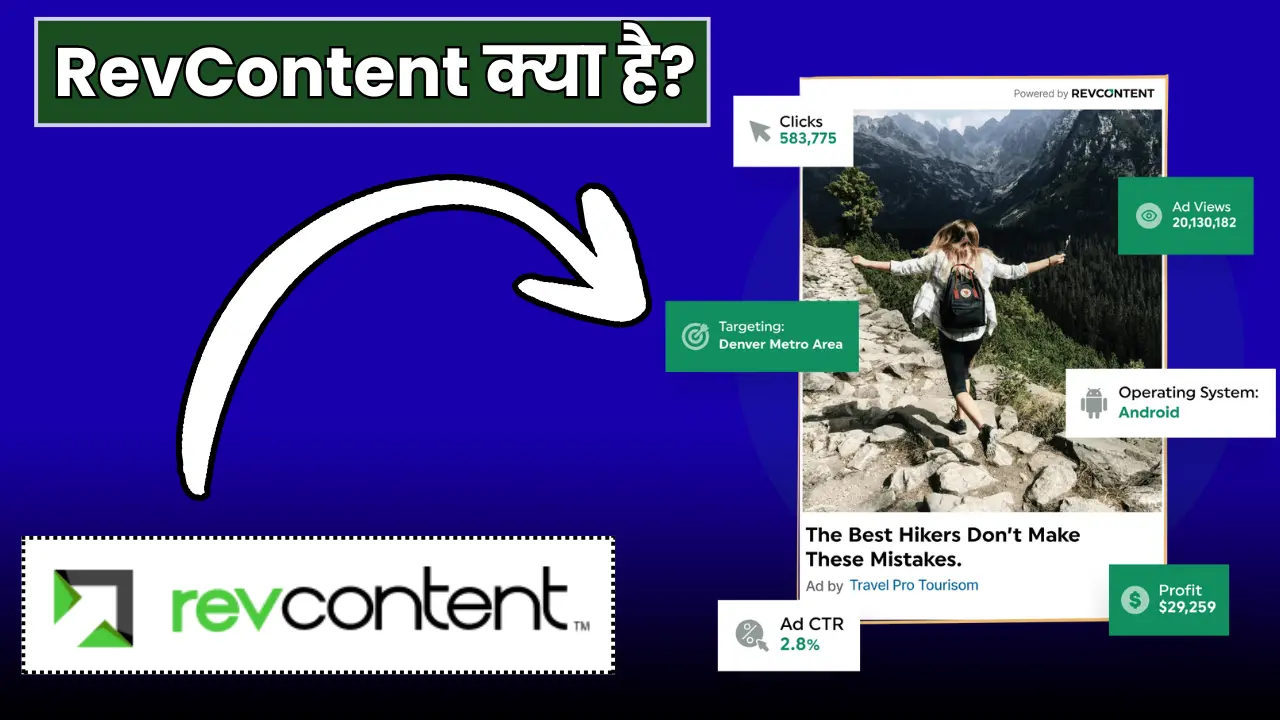
क्या आप भी Native Advertising से पैसा कमाना चाहते हैं? या फिर आपने Taboola और Outbrain के बारे में सुना है लेकिन उनका approval नहीं मिल रहा? आज मैं आपको एक ऐसे Premium Native Ad Network के बारे में बताने वाला हूँ जो आपकी website की earnings को seriously boost कर सकता है – RevContent!
और देखो, यह article वैसा नहीं है जैसे बाकी सब लिखते हैं! मैं आपको सच्चाई बताऊंगा – बिना किसी sugar coating के – कि RevContent क्या है, publisher के लिए कैसे काम करता है, requirements क्या हैं, कितना पैसा मिलता है, और सबसे important – क्या यह actually आपके लिए सही है या नहीं!
तो अगर आप seriously blogging से अच्छा पैसा कमाना चाहते हैं तो यह 20 मिनट निकालो और पूरा article पढ़ो! गारंटी देता हूँ कि आपको native advertising के बारे में सब कुछ clear हो जाएगा और आप decide कर पाओगे कि RevContent join करना है या नहीं!
RevContent क्या है और यह काम कैसे करता है?

सबसे पहले समझते हैं – RevContent एक Premium Native Advertising Platform है जो 2013 से market में है! यह Taboola और Outbrain का direct competitor है और काफी तेजी से grow कर रहा है!
Native Advertising क्या है?
Native ads वो ads होते हैं जो आपके website के content की तरह ही दिखते हैं! आपने देखा होगा – “You May Also Like”, “Recommended For You”, “Related Articles” – यही native ads हैं! ये regular banner ads की तरह annoying नहीं लगते इसलिए CTR (Click Through Rate) भी अच्छा मिलता है!
RevContent की खासियत?
RevContent को “Content Discovery Platform” भी कहते हैं क्योंकि यह visitors को relevant content recommend करता है! और जब visitor उस recommended content पर click करता है तो आपको पैसा मिलता है!
यह भी पढ़ें –Ezoic क्या है? पूरी जानकारी – Approval से Earning तक
RevContent कैसे काम करता है?
बहुत simple है समझना:
- आप RevContent join करते हो – Publisher के रूप में
- Website पर widget लगाते हो – आर्टिकल के नीचे या sidebar में
- RevContent recommended articles दिखाता है – जो actually ads होते हैं
- Visitor click करता है – उसे advertiser की site पर ले जाता है
- आपको पैसा मिलता है – per click के basis पर
और interesting बात? RevContent के widgets responsive होते हैं और आपके website design के साथ blend हो जाते हैं! इसलिए user experience भी अच्छा रहता है और earnings भी होती है!
RevContent vs Taboola vs Outbrain – Comparison
अब आप सोच रहे होंगे – यार Taboola और Outbrain तो famous हैं, तो RevContent क्यों choose करूं? चलिए मैं आपको honest comparison दे देता हूँ:
Taboola:
- Market leader है
- Approval बहुत मुश्किल (500K+ monthly page views चाहिए)
- High CPCs मिलते हैं
- Premium publishers के लिए best
- Small publishers के लिए practically impossible
Outbrain:
- Taboola के बाद दूसरा biggest
- Approval थोड़ा easy but still tough (100K+ page views)
- Good CPCs
- Medium to large publishers के लिए suitable
RevContent:
- Approval relatively आसान है (50K-100K page views से possible)
- Competitive CPCs मिलते हैं
- Small to medium publishers के लिए perfect
- Good support और user-friendly dashboard
- Growing fast – future में और better होगा
मेरी राय? अगर आपकी website छोटी है या medium size की है तो RevContent से start करो! जब traffic बढ़ जाए तो Taboola/Outbrain को try कर सकते हो! और हां, तीनों को साथ में भी use कर सकते हो अगर सभी से approval मिल जाए!
RevContent Requirements – क्या चाहिए Approval के लिए?
अब आता है सबसे critical part! RevContent join करने के लिए क्या requirements हैं? मैं आपको straight facts बता देता हूँ:
Traffic Requirements (Most Important!)
Official Statement: RevContent officially कोई specific minimum traffic requirement नहीं बताता! But practically देखा जाए तो:
Realistic Requirements:
- Minimum 50,000 monthly page views (safe side)
- या 30,000-40,000 भी चल सकता है अगर traffic quality exceptional है
- US/UK traffic होना बहुत helpful है approval में
- Tier 1 countries (US, UK, Canada, Australia) से 30-40% traffic ideal है
Important Note: सिर्फ numbers नहीं, quality भी matter करती है! 100K bot traffic से better है 30K real organic traffic!
Content Quality Requirements
1. Original और High-Quality Content:
- Minimum 50+ quality articles
- हर article कम से कम 800-1200 words का हो
- 100% original content – copied content = instant rejection
- Well-researched और informative content
- Proper formatting, headings, और images
2. Content Type (क्या चलेगा, क्या नहीं):
✅ Acceptable Content:
- News और current affairs
- Entertainment और lifestyle
- Technology और gadgets
- Health और fitness
- Finance और business
- Travel और food
- Education और career
❌ Not Acceptable:
- Adult या explicit content
- Illegal content या piracy
- Hate speech या violence
- Fake news या misleading information
- Gambling sites
- Drugs या alcohol promotion
- Copyright violation content
Website Quality Requirements
1. Professional Design:
- Clean और professional looking theme
- Proper navigation menu
- Good user experience
- Mobile responsive (must have!)
- Fast loading speed
2. Mandatory Pages:
- About Us page (detailed और genuine)
- Contact page (working contact form या email)
- Privacy Policy (properly written)
- Terms and Conditions
- Disclaimer page (recommended)
3. Technical Requirements:
- SSL certificate (HTTPS) mandatory
- No malware या security issues
- Clean code without major errors
- Proper site structure
- Working properly on all browsers
Traffic Source Requirements
Acceptable Traffic Sources:
- Organic search traffic (Google) – best!
- Social media traffic (Facebook, Twitter, Pinterest)
- Direct traffic (returning visitors)
- Referral traffic from quality sites
- Email newsletters
Avoid These:
- Paid traffic से direct apply मत करो
- Bot traffic या fake traffic
- Traffic exchange networks
- Adult traffic sources
- Incentivized traffic
Domain और Website Age
- Domain Age: Minimum 6 months old preferred
- New domains को approval मिलना tough है
- Domain history clean होनी चाहिए (no spam या penalty)
- Domain authority (DA) 20+ होना good है
Pro Tip: अगर आपकी website new है (3-4 months) तो थोड़ा wait करो! 6 months complete होने दो, 50-100 quality articles publish करो, और फिर apply करो – chances ज्यादा होंगे!
RevContent Sign Up और Approval Process
अब बात करते हैं कि RevContent में कैसे join करें और approval कैसे मिलता है!
Step 1: RevContent Sign Up
RevContent की official website (revcontent.com) पर जाओ और “Publishers” section में जाओ! वहां “Sign Up” या “Apply Now” button दिखेगा – उसपर click करो!
Sign Up Form में Details:
- Your Full Name
- Email Address (professional email use करो – Gmail okay है)
- Website URL (complete URL with https://)
- Company Name (अगर registered company है तो, वरना personal name)
- Phone Number
- Country
- Website Category/Niche
Step 2: Website Details Submit करो
Sign up के बाद detailed questionnaire fill करनी होगी:
1. Traffic Details:
- Monthly page views (honest रहो!)
- Monthly unique visitors
- Traffic sources breakdown (Organic %, Social %, Direct %)
- Top traffic countries (US, UK, India etc.)
2. Monetization Details:
- Currently कौन से ad networks use कर रहे हो
- Monthly ad revenue (approximate)
- क्या AdSense approved है
- क्या पहले कभी RevContent use किया
3. Website Analytics:
- Google Analytics screenshot attach करनी हो सकती है
- Recent 30 days का traffic proof
- Top performing pages
Step 3: Review Process
Application submit करने के बाद RevContent की team आपकी website को review करेगी:
Review Criteria:
- Content quality check
- Traffic verification
- Technical audit
- Policy compliance check
- Manual review by team
Timeline: Usually 3-7 business days लगते हैं review में! But कभी-कभी 2 weeks भी लग सकते हैं अगर team busy हो!
Approval या Rejection?
अगर Approval मिल गया: Congratulations! आपको email आएगा welcome message के साथ! फिर आप RevContent login करके dashboard access कर सकते हो और widget setup कर सकते हो!
अगर Rejection मिला: घबराने की जरूरत नहीं! Email में reason mentioned होगा:
- Low traffic
- Content quality issues
- Policy violations
- Technical issues
क्या करें Rejection के बाद?
- Reason को carefully पढ़ो
- Issues fix करो (traffic बढ़ाओ, content improve करो)
- 2-3 months wait करो
- फिर से apply करो improved website के साथ
यह भी पढ़े –Google AdSense Approval के 7 Secret Tricks – 99% लोग नहीं जानते!
RevContent Login और Dashboard Setup
Approval मिलने के बाद RevContent login करके setup करना होगा! मैं आपको step-by-step बताता हूँ:
Login Process:
- Revcontent.com पर जाओ
- “Login” button पर click करो
- Email और Password enter करो (जो sign up के time use किया)
- Publisher Dashboard open हो जाएगा
Dashboard Overview:
1. Widget Section: यहां आप अपने widgets create और manage कर सकते हो:
- Widget types (Bottom of article, Sidebar, In-content)
- Widget design customize कर सकते हो
- Colors, fonts, layouts – सब customize होता है
- Preview देख सकते हो कि कैसा दिखेगा
2. Implementation Code: Widget create करने के बाद HTML code मिलेगा:
- WordPress में paste करना simple है
- Header/Footer scripts में या
- Specific posts में manually add कर सकते हो
- या WordPress plugin use कर सकते हो
3. Analytics Section:
- Daily impressions
- Click-through rate (CTR)
- RPM (Revenue Per Mille)
- Earnings tracking
- Top performing pages
4. Payment Settings:
- Payment method select करो
- Bank details या PayPal add करो
- Minimum payout threshold set करो
- Tax information (if applicable)
Widget Setup Tips:
Best Positions:
- Below article content – सबसे effective position
- Sidebar – second best
- In-content – article के बीच में (but carefully!)
Design Tips:
- Website theme के साथ match करो colors को
- Clean और professional look रखो
- Too many widgets मत लगाओ – 1-2 काफी हैं
- Mobile view में test करो – responsive होना चाहिए
RevContent Earnings – कितना पैसा मिलता है?
अब सबसे interesting part – RevContent से कितना पैसा कमा सकते हो? मैं आपको realistic picture दूंगा, कोई fake promises नहीं!
Revenue Model: CPC (Cost Per Click)
RevContent mainly CPC (Cost Per Click) basis पर payment करता है! मतलब जितने clicks आएंगे उतना पैसा!
Average CPC Rates:
US/UK/Canada Traffic:
- Average CPC: $0.10 to $0.50
- High-value niches: $0.50 to $1.00+
- Low-competition niches: $0.05 to $0.15
European Traffic:
- Average CPC: $0.05 to $0.25
- Varies by country
Asian Traffic (India included):
- Average CPC: $0.01 to $0.05
- High-quality traffic: $0.05 to $0.10
Other Countries:
- Average CPC: $0.01 to $0.08
RPM (Revenue Per Mille) Calculations
RPM calculate karne ka formula: RPM = (Total Earnings / Total Page Views) x 1000
Average RPM Ranges:
Tier 1 Traffic (US/UK/Canada):
- Good niches: $3-$8 RPM
- Average niches: $1-$3 RPM
- Low-value niches: $0.50-$1.50 RPM
Mixed Traffic (Global):
- Good niches: $1-$4 RPM
- Average: $0.50-$2 RPM
Indian Traffic:
- Good niches: $0.30-$1 RPM
- Average: $0.10-$0.50 RPM
Monthly Earnings Examples
चलिए realistic scenarios देखते हैं:
Example 1: Small Indian Blog
- Monthly Page Views: 80,000
- CTR: 1.5%
- Clicks: 1,200
- Average CPC: $0.03
- Monthly Earnings: 1,200 x $0.03 = $36
- RPM: $0.45
Example 2: Medium Blog with Mixed Traffic
- Monthly Page Views: 200,000 (40% US traffic)
- CTR: 2%
- Clicks: 4,000
- Average CPC: $0.12
- Monthly Earnings: 4,000 x $0.12 = $480
- RPM: $2.40
Example 3: Large Blog with US Traffic
- Monthly Page Views: 500,000 (70% US traffic)
- CTR: 2.5%
- Clicks: 12,500
- Average CPC: $0.25
- Monthly Earnings: 12,500 x $0.25 = $3,125
- RPM: $6.25
Reality Check: यह earnings तभी possible हैं जब:
- Traffic quality अच्छी हो
- Content engaging हो (high CTR के लिए)
- Widget placement optimal हो
- Niche high-value हो
Earnings Improve कैसे करें?
- US/UK Traffic बढ़ाओ: SEO optimize content लिखो international audience के लिए
- High-Value Niches Target करो: Finance, Technology, Health में CPCs better हैं
- CTR Optimize करो: Widget placement और design experiment करो
- Content Quality: Engaging content = ज्यादा time on site = ज्यादा clicks
- A/B Testing: Different widget designs test करो
- Mobile Optimization: 60-70% traffic mobile से, optimize accordingly
RevContent Pricing (Advertiser Side)
अब एक interesting topic – RevContent Pricing! यह mainly advertisers के लिए है but publishers को भी समझना चाहिए कि दूसरी तरफ क्या हो रहा है!
RevContent Minimum Deposit
अगर कोई advertiser बनना चाहता है तो:
Minimum Deposit Requirements:
- Standard account: $500 minimum deposit
- Self-serve platform: $100 minimum (but limited features)
- Managed campaigns: $5,000+ budget recommended
क्यों जानना important है?
क्योंकि जितने ज्यादा advertisers RevContent पर campaign चलाएंगे, उतनी ज्यादा demand होगी, और उतने better CPCs मिलेंगे publishers को!
Campaign Pricing for Advertisers
Advertisers को RevContent कैसे charge करता है:
- CPC Bidding: Per click के basis पर
- Minimum Bid: $0.05 per click (generally)
- Premium Placements: Higher bids = better placements
- Competition: High competition niches में bids ज्यादा
Publishers के लिए क्या मतलब?
जिन niches में ज्यादा advertisers compete कर रहे हैं, उन niches में publishers को better CPCs मिलते हैं! इसीलिए Finance, Tech, Health जैसे niches profitable हैं!
RevContent Payment Methods और Withdrawal
अब बात करते हैं payment की – कैसे मिलता है, कब मिलता है!
Payment Methods:
1. Bank Transfer (Wire Transfer)
- Most common method
- Available globally
- Minimum threshold: $50
- Processing fee: $15-30 (depending on bank)
- Takes 5-7 business days
2. PayPal
- Convenient और fast
- Minimum threshold: $50
- Small processing fee
- 2-3 business days में payment
3. Payoneer
- Good for international publishers
- Minimum threshold: $50
- Reasonable fees
- 3-5 business days
4. ACH (US Publishers Only)
- Domestic US bank accounts
- Minimum threshold: $50
- No fees
- Fastest method for US publishers
Payment Schedule
RevContent का payment cycle है Net-60! यानी:
Payment Timeline:
- January earnings → March में payment
- February earnings → April में payment
Example:
- January 1-31: $300 earned
- February: Processing and verification
- March 1-15: Payment initiated
- March 15-20: Payment received
क्यों 60 days?
Native ad networks generally लंबा payment cycle रखते हैं क्योंकि:
- Advertiser payment verification
- Click quality check (invalid clicks filter करने के लिए)
- Fraud prevention
हां, यह लंबा है! But यह industry standard है native advertising में! Taboola और Outbrain भी similar cycle follow करते हैं!
Minimum Payout Threshold
Standard Threshold: $50
यह reasonable है! AdSense के $100 से कम और काफी achievable है medium-sized publishers के लिए भी!
Pro Tip: Payment threshold को minimum पर ही रखो initially! जब consistent earnings होने लगे तब increase कर सकते हो!
RevContent Reviews – Real Publisher Experience
अब बात करते हैं honest reviews की! RevContent का actual experience कैसा है publishers के लिए?
Positive Points (क्या अच्छा है):
✅ Approval relatively easier: Taboola/Outbrain से easy ✅ Competitive CPCs: Decent revenue potential ✅ User-friendly dashboard: Simple और intuitive ✅ Good widget customization: Design flexibility ✅ Responsive support: Email support decent है ✅ Works with other networks: AdSense के साथ use कर सकते हो ✅ Clean ads: Native ads look professional ✅ Regular payments: Payment reliable hai (though delayed)
Negative Points (क्या problems हैं):
❌ Long payment cycle: Net-60 बहुत लंबा है ❌ Lower CPCs for Asian traffic: Indian traffic पर बहुत कम earning ❌ Strict quality checks: कभी-कभी genuine clicks भी reject हो जाते हैं ❌ High traffic requirement: छोटी websites के लिए approval tough ❌ Limited support for small publishers: Priority large publishers को ❌ Widget performance varies: हर website पर equally अच्छा perform नहीं करता
Publishers की Real Complaints:
1. “Payment बहुत late आता है!” Net-60 cycle really frustrating है especially new publishers के लिए! Cash flow management मुश्किल हो जाता है!
2. “Indian traffic से earnings बहुत कम!” यह सच है! RevContent mainly US/UK advertisers को priority देता है, इसलिए Asian traffic से CPCs बहुत कम मिलते हैं!
3. “Click filtering बहुत strict है!” कभी-कभी genuine clicks भी invalid mark हो जाते हैं! Revenue reports में discrepancy दिखती है!
4. “Support slow है!” Urgent issues में response आने में 2-3 days लग जाते हैं! Email support है but live chat नहीं!
5. “CTR expectations high हैं!” अगर आपका CTR consistently कम रहा तो account suspend हो सकता है या widget performance degrade हो सकता है!
Common Problems और Solutions
अब बात करते हैं उन problems की जो RevContent use करते time face हो सकती हैं:
Problem 1: Low CTR (Click Through Rate)
Symptoms:
- CTR 1% से कम है
- Earnings expected से बहुत कम
- Impressions तो हैं but clicks नहीं
Reasons:
- Widget placement सही नहीं
- Widget design website के साथ blend नहीं हो रहा
- Content quality कम है (visitors engage नहीं हो रहे)
- Audience native ads से familiar नहीं
Solutions:
- Widget को article के तुरंत नीचे place करो
- Design को optimize करो – catchy thumbnails enable करो
- Content quality improve करो – engaging लिखो
- Different widget layouts test करो
- A/B testing करो colors और designs की
Problem 2: Earnings Suddenly Drop
Reasons:
- Traffic quality decrease हुआ
- Seasonal fluctuations (Jan-Feb में CPCs drop होते हैं)
- Algorithm changes
- Advertiser demand कम हुई niche में
Solutions:
- Analytics check करो – traffic source verify करो
- Seasonal trends consider करो (normal hai)
- Content quality maintain रखो
- Different niches में content diversify करो
- Support को contact करो issue report करने के लिए
Problem 3: Widget Not Showing
Reasons:
- Code properly implement नहीं हुआ
- JavaScript conflicts
- Ad blockers
- Cache issues
Solutions:
- Implementation code verify करो
- Browser console check करो errors के लिए
- Different browsers में test करो
- Cache clear करो
- RevContent support को screenshot के साथ contact करो
Problem 4: Account Suspended
Reasons:
- Invalid click activity detected
- Traffic quality issues (bot traffic)
- Policy violations
- Low CTR consistently
- Content policy breach
Solutions:
- Immediately support को email करो
- Suspension reason जानने की कोशिश करो
- Issues fix करो जो identify हुए
- Appeal submit करो with proper explanation
- Future में policies strictly follow करो
- Clean traffic maintain करो
Problem 5: Payment Delayed
Reasons:
- Minimum threshold cross नहीं हुआ
- Payment details incorrect
- Tax forms pending (US publishers के लिए)
- Verification pending
Solutions:
- Dashboard में payment status check करो
- Payment details verify करो (bank info, PayPal etc.)
- Tax forms complete करो if required
- Net-60 + 5-7 days grace period दो
- Support को politely follow up करो
Pro Tips – Maximum Success के लिए
अगर आप RevContent से seriously पैसा कमाना चाहते हो तो यह advanced tips follow करो:
1. Traffic Quality पर Focus करो 10K real organic visitors better हैं 50K questionable traffic से! Quality over quantity हमेशा!
2. Content Engagement बढ़ाओ High engagement = longer session time = more widget views = better CTR = higher earnings!
3. Niche Selection Smart करो Finance, Technology, Health, Travel – इन niches में CPCs better मिलते हैं! Entertainment और gossip में कम!
4. Widget Placement Experiment करो हर website अलग है! Test करो कि आपकी site पर कौन सा position best work करता है!
5. US/UK Traffic Strategy International SEO पर focus करो! US/UK से even 30-40% traffic भी game-changer है earnings के लिए!
6. Multiple Revenue Streams Sirf RevContent पर depend मत रहो! AdSense, affiliate marketing, sponsored posts – सब साथ चलाओ!
7. Analytics Monitor करो Weekly analytics check करो! Patterns देखो, optimize करो, improve करो!
8. User Experience Balance करो Ads important हैं but readers भी! Too aggressive मत बनो monetization में!
9. Patience रखो Native ads को optimize होने में time लगता है! First 2-3 months में expectations कम रखो!
10. Network बनाओ Other publishers से connect करो, experiences share करो, tips exchange करो!
Final Verdict – क्या RevContent Join करना चाहिए?
तो अब आता है conclusion! क्या आपको RevContent join करना चाहिए?
RevContent Join करो अगर: ✅ आपकी website पर 50,000+ monthly page views हैं ✅ Content quality exceptional है ✅ US/UK से decent traffic है (20-30%+) ✅ Already AdSense use कर रहे हो और additional revenue चाहिए ✅ Patience है Net-60 payment cycle के लिए ✅ Native advertising experiment करना चाहते हो ✅ Medium to large publisher हो
RevContent Skip करो अगर: ❌ 50,000 page views से कम traffic है ❌ 100% Indian traffic है और niche low-value है ❌ Immediate payments चाहिए (Net-60 handle नहीं कर सकते) ❌ User experience को compromise नहीं करना चाहते ❌ Small blog है just starting phase में ❌ Technical implementation से uncomfortable हो
मेरी Personal राय:
RevContent एक solid native ad network है अगर आपकी website qualify करती है! यह Taboola/Outbrain का अच्छा alternative है especially medium-sized publishers के लिए!
Pros: Decent CPCs, professional platform, reliable payments Cons: Long payment cycle, lower earnings for Asian traffic, high traffic requirements
अगर आप already successful blogger हो और revenue streams diversify करना चाहते हो तो definitely try करो! But अगर आप beginner हो तो पहले AdSense से start करो, traffic बढ़ाओ, फिर RevContent apply करो!
Conclusion – आखिरी बात
तो दोस्तों, यह था RevContent का complete और honest guide! मैंने आपको हर aspect detail में cover किया – क्या है RevContent, requirements, approval process, earnings potential, payment methods, problems और solutions – सब कुछ!
अब decision आपका है! Realistic रहो, expectations clear रखो, और smart decisions लो!
याद रखो: 🎯 Quality Content हमेशा King है! 🎯 Traffic Quality > Traffic Quantity! 🎯 Patience is Key – overnight success नहीं होता! 🎯 Diversify Income – एक ही source पर depend मत रहो! 🎯 User Experience Balance करो – readers first, ads second!
Blogging एक marathon है, sprint नहीं! Consistent रहो, quality maintain करो, smart work करो – success जरूर मिलेगी!
तो आज का detailed guide कैसा लगा? RevContent के बारे में कोई और question है? Comment में पूछो! और हां, helpful लगा तो share करना अपने blogger friends के साथ!
Happy Blogging और Happy Earning! 💰🚀
All the Best! धन्यवाद!
Google Discover Complete Course
vs same day last week
vs previous 7 days
vs same period last year
1 thought on “RevContent क्या है? पूरी जानकारी 2025 – Approval से Earning तक”